How To Update Server Modpack To Latest Version?
This article shows you step-by-step on how to update your server's modpack to the latest version.

For the "Update Modpack" button to appear, you need to have installed the modpack through the built-in modpack installer in order for it to work. Additionally, the latest modpack needs to have a server pack attached to it.
How To Update The Modpack?
💡
It's recommended to create a backup of your server before updating.
To do this, head over to the Files tab. From there the backups tab and create a backup.
To do this, head over to the Files tab. From there the backups tab and create a backup.
- Head over to the Game Panel and close your server.
- Navigate to the Version → Modpacks tab. From here, you can click on the Update Modpack button.
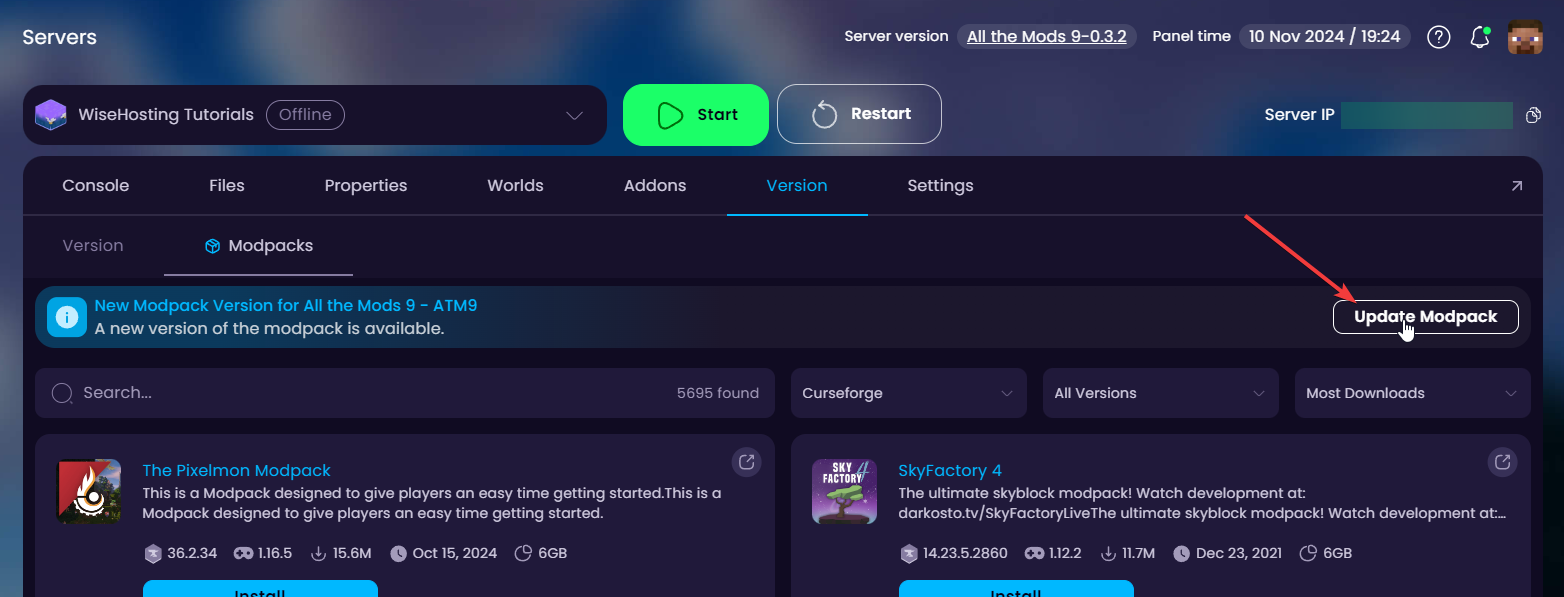
- Wait for it to finish installing the latest version of the modpack and start the server!