How To Cancel Your WiseHosting Server
A step-by-step guide on how to cancel your WiseHosting server.

If you're cancelling due to an issue you're having with our service, please contact our support team through the ticket system before cancellation - we'd love to assist you regarding any concern.
💡
We recommend you to create a backup of ALL FILES before requesting the cancellation of your server. We do not provide files for cancelled servers.
By following this guide, your server will be cancelled on the last day of your current billing cycle and will not be renewed after. Your server will be accessible until the end of the active period.
By following this guide, your server will be cancelled on the last day of your current billing cycle and will not be renewed after. Your server will be accessible until the end of the active period.
How To Cancel Your Service?
- Log in to your Billing Account.
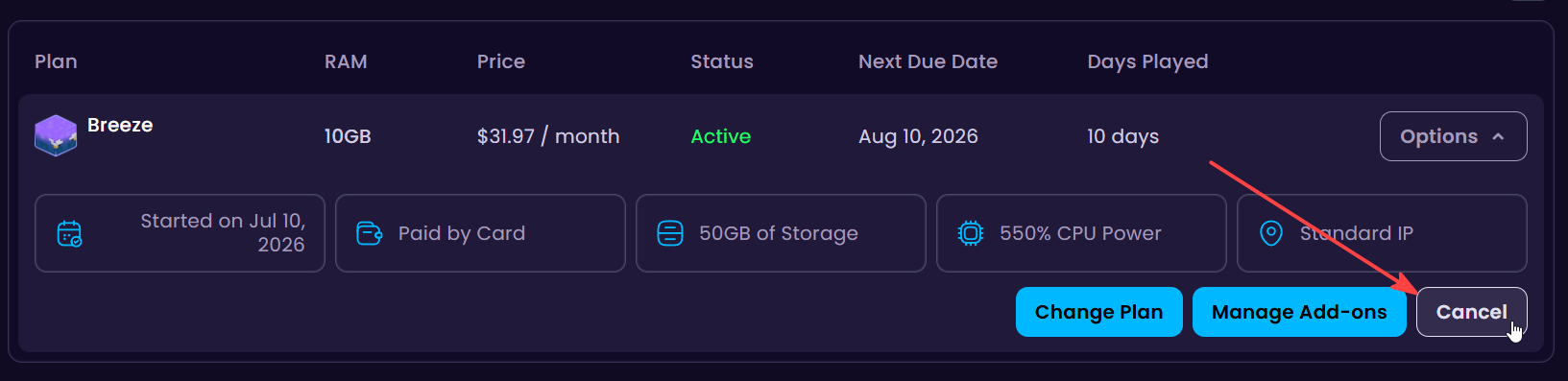
- Click on Orders tab and pick the server you'd like to cancel by clicking on the Cancel button.
If you’d like to downgrade your server, you can click on the Change Plan button instead.
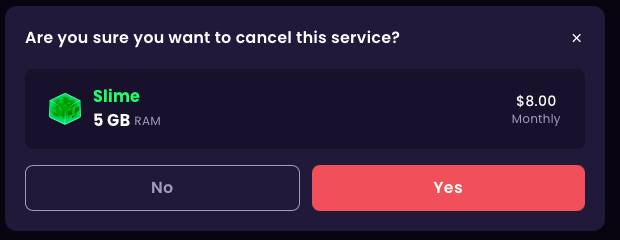
- After clicking on the Cancel button, start the cancellation process by confirming it through the Yes button.
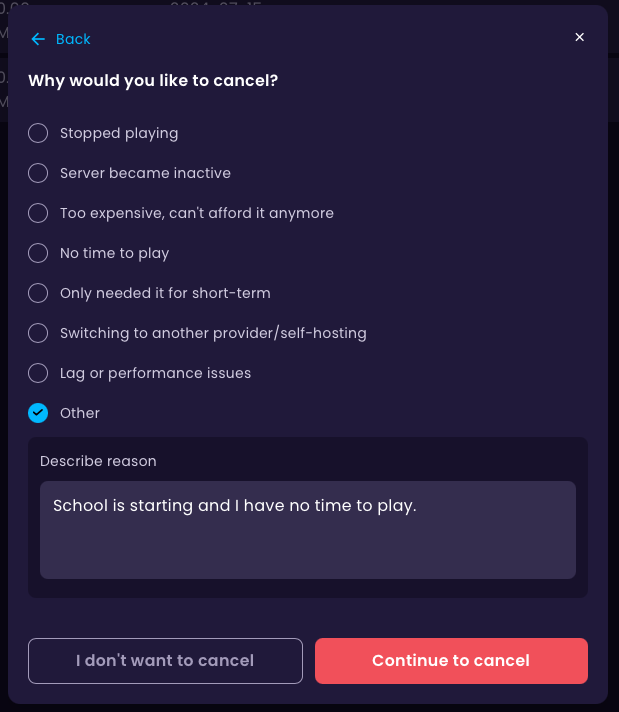
- Select the reason of why you’re cancelling and afterwards click on the Continue to cancel button.
- Done! Your service has now been cancelled successfully. You will retain access to the service until the next due date.
How can I remove my cancellation request?
If you cancelled on accident, you’re able to remove the cancellation request by clicking on the Restore button.
